


Welcome to Lesson 2 of the Phone Calling Agents course!
In this lesson, you’ll learn why traditional vector search falls short for our property search use case, and how Superlinked lets us handle complex, multi-attribute queries.
By the end, you’ll have a working search tool that your voice agent can use to answer questions like:
I'm looking for a spacious, modern apartment with at least 3 rooms and 2 bathrooms, priced under €400,000, in Madrid's Barrio de Salamanca.But before we start, make sure you’ve got your own copy of the code and have gone through Lesson 1, since this lesson builds directly on it!
💻 Lesson 2 Code Release - Explore the repository to follow the full syllabus and access all the resources for this lesson.
📕 Catch up on Lesson 1 - Learn the FastRTC fundamentals and build your first voice agent.
Superlinked 101

Before we get into Superlinked, it’s worth calling out a limitation you’ll run into fast when you’re building search for real-world products.
Classic vector search is awesome when everything is pure text. But take our real estate example. A query like:
I’m looking for a spacious, modern apartment with at least 3 rooms and 2 bathrooms, priced under €400,000, in Madrid’s Barrio de Salamanca.… actually mixes several types of signals:
Text preferences: “modern”, “spacious” (semantic meaning)
Numerical constraints: price under €400,000, at least 3 rooms, at least 2 bathrooms
Categorical filters: Location (Madrid’s Barrio de Salamanca)
Try forcing all of that through a single text embedding and things start to break. Sure, the embedding can capture semantic meaning, but it doesn’t understand that €401,000 is practically the same as €399,000, or that 95 m² isn’t far from 100 m².
How do we get around this?
Now that we’ve established that the “stringify everything” trick falls apart in real-world search, you might be wondering: “Can’t I just patch this with metadata filters or run multiple searches?”
Ok, let’s look at the different options we might have.
Metadata Filters
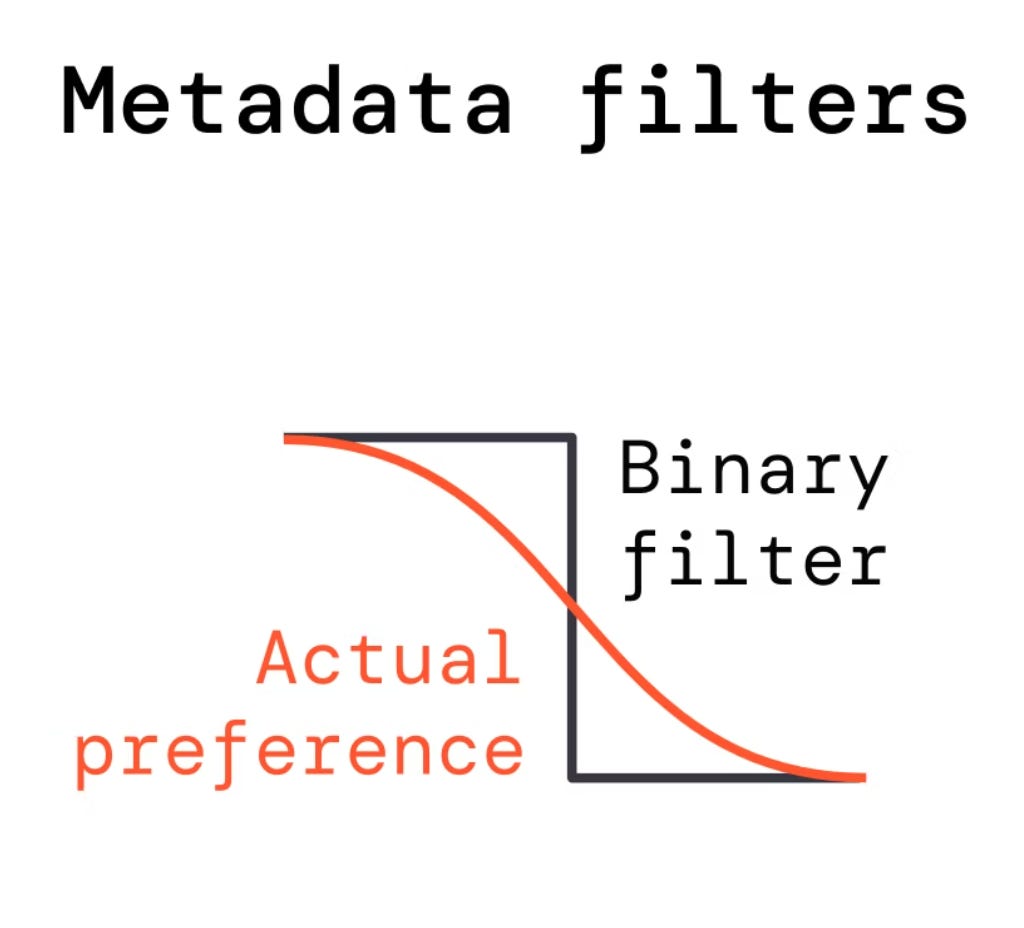
What if we run a semantic search on the text, and then apply hard filters on metadata?
results = vector_db.search(”modern apartment”)
filtered = [r for r in results if r.price < 400000]
The issue here is that you’re modeling a smooth preference with a binary step function. Is a €401,000 apartment really unacceptable if the user said “under €400k”?
And what if filtering removes most results, leaving you with poor matches?
Multiple Searches + Result Fusion
You could run separate searches for each attribute (text, price, size) and then fuse the results using some ranking algorithm.
This is complex to implement and has a fundamental limitation:
💡 It doesn’t capture how attributes interact.
A user searching for “affordable spacious apartment” wants the best combination — not the most affordable apartment plus the most spacious one.
Re-ranking
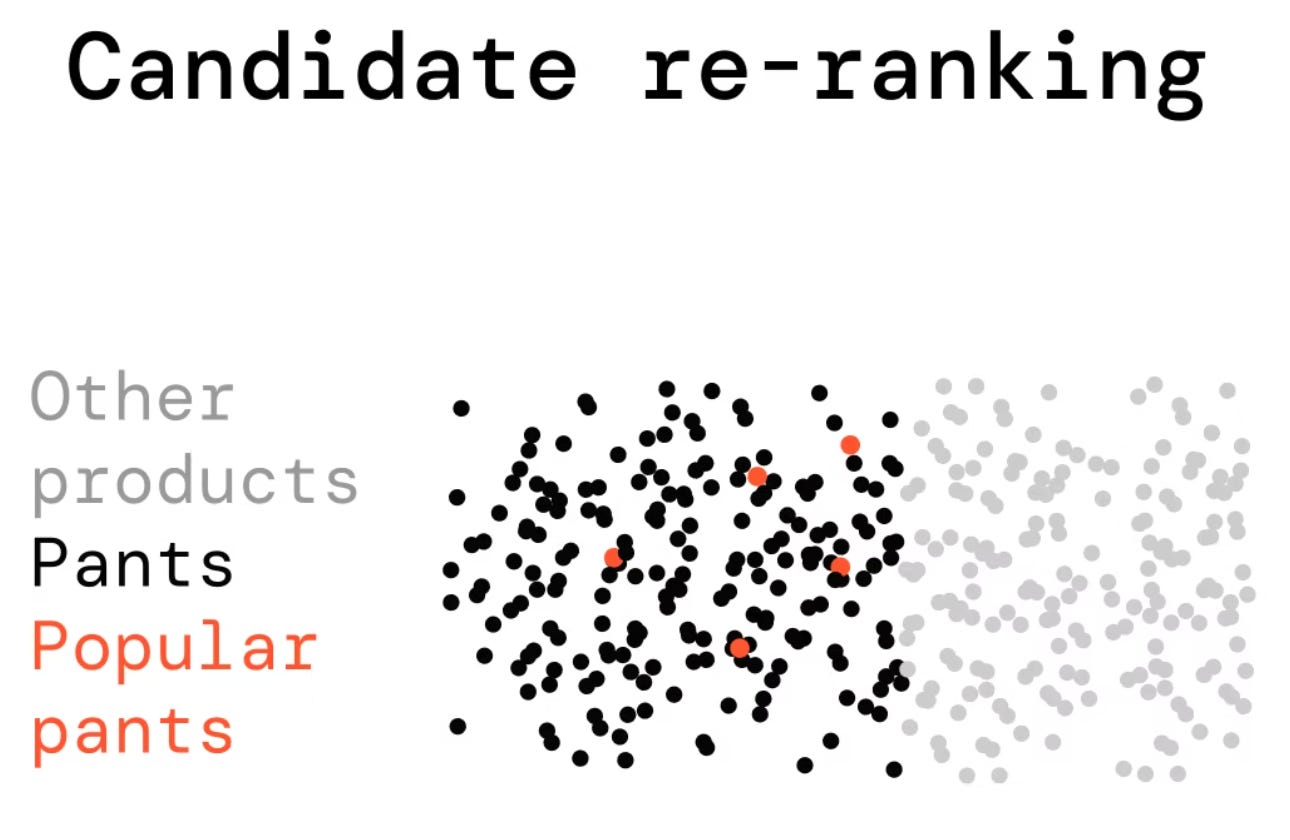
Re-ranking involves getting a broad set of candidates first, then applying a more sophisticated model to re-order them.
💡 This only works if the relevant items make it into your initial candidate set.
For broad multi-attribute queries, the items you actually want might not score high enough on text similarity alone to survive the initial retrieval.
Now that we’ve walked through the usual alternatives, it’s pretty clear that none of them truly handles the full complexity of real-world search. What we actually need is a way to bring every attribute—textual, numerical, categorical—into a single vector space, and decide how to weight each one at query time.
The good news?
✅ That’s precisely what Superlinked is built for.
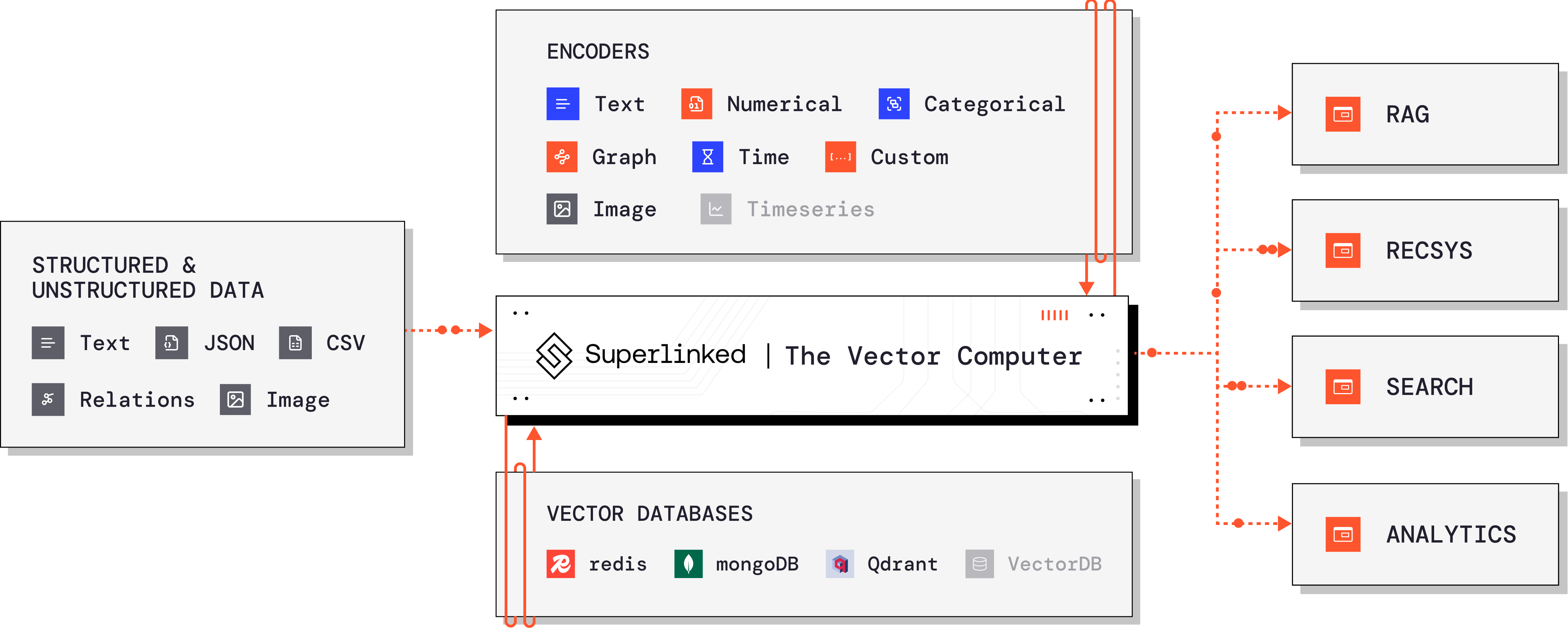
Superlinked lets you encode different types of attributes into specialized Spaces, then combines them into a single searchable index.
It provides different Space types for different data:
TextSimilaritySpace— for semantic understanding of text descriptionsNumberSpace— for numerical attributes like price or sizeCategoricalSimilaritySpace— for categorical data like locationRecencySpace— for time-based relevanceetc.
Each space knows how to properly encode its data type. Then, at query time, you can weight each space to prioritize what matters most -
Want to emphasize price? Bump up the price weight. Looking for something spacious? Increase the size weight.
For our voice agent, this is perfect. The LLM can dynamically adjust weights based on what the user emphasizes in their query.
Hands-on guide on Superlinked
Now that you understand why Superlinked matters, it’s time to see how it actually works. The next section will introduce you to all the relevant concepts related to this framework with a hands-on approach. To do that, we’ll be following this notebook from the week2 release.
⚠️ Before we begin, make sure you have the week2 release of the repo pulled and you’ve followed the steps in GETTING_STARTED.md. Then, open the notebook called notebooks/lesson_2_superlinked_property_search.
